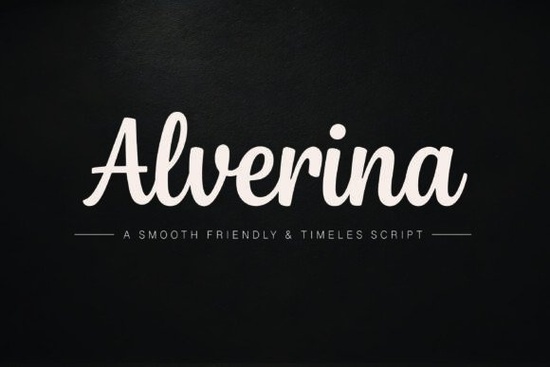
If you've been searching for a script font that looks hand-lettered without feeling messy or hard to read, the Alverina Font is worth a close look. It's a smooth handwritten typeface with flowing curves and bold strokes that strike a nice balance between elegant and approachable. Whether you're designing a logo, a wedding invitation, or a product label, this font brings a premium signature feel without sacrificing readability.
What Makes Alverina Different from Other Script Fonts?
Plenty of script fonts try to look luxurious but end up feeling stiff or overly decorative. Alverina takes a different route. Its letterforms connect softly, which gives text a natural, flowing rhythm like someone actually sat down and wrote it with a brush pen. The bold weight adds presence, so it works well at larger sizes for display typography and headlines, but the clean connections also keep smaller text legible.
Compared to fonts like Messy Memoir, which leans into a rougher, more casual aesthetic, Alverina feels polished and intentional. It's the kind of font you'd pick when you want your design to look refined but still personal. If you prefer something with more of a vintage flair, Wonderful Vintages might be a better fit but for modern branding work, Alverina hits a sweet spot that's hard to find.
What Can You Use Alverina For?
This font is versatile enough for a wide range of creative projects. Here are some common uses that work especially well:
- Logos and brand marks – Its elegant curves give brands a warm, trustworthy personality.
- Wedding invitations and event stationery – The flowing script style fits formal and semi-formal designs naturally.
- Packaging and product labels – Works beautifully on beauty products, food packaging, and handmade goods.
- Social media graphics – Bold enough to stand out in a feed, even at smaller sizes.
- Café menus and editorial headers – Adds warmth and character without looking overly decorative.
- Print-on-demand designs – A strong choice for mugs, tote bags, and apparel mockups.
For print-on-demand sellers specifically, having a reliable handwritten script font in your toolkit is almost essential. Alverina's readability means your designs will look good not just on screen but also when printed at various sizes.
Does Alverina Pair Well with Other Fonts?
Yes, and that's one of its strengths. Because Alverina carries so much personality on its own, it pairs best with clean, simple typefaces that don't compete for attention. A geometric sans-serif or a minimal serif works well as a secondary font for body text or supporting copy.
For example, pairing Alverina with a clean sans-serif like Raleway creates a nice contrast the script adds warmth and character, while the sans-serif keeps things structured and easy to scan. This kind of pairing is a go-to for brand identity design and social media templates.
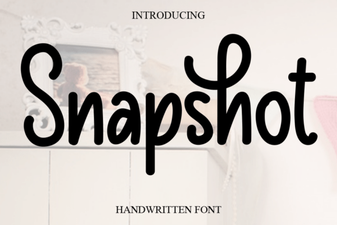
If you're working on a photography-themed project, Snapshot offers a different vibe that might complement your layout depending on the mood you're going for.
Where Can You Get Alverina?
You can find the Alverina font on Creative Fabrica, a marketplace that offers thousands of fonts, graphics, and design resources. It's a popular platform among crafters and designers because many of the assets come with a commercial license, which matters if you're selling products or doing client work.
You can also browse more options in the script fonts category if you want to compare styles before deciding.
Tips for Getting the Most Out of Script Fonts Like Alverina
- Mind your letter spacing. Script fonts often look better with slightly tighter tracking since the letters are already connected.
- Use it selectively. Reserve Alverina for headlines, logos, or short phrases rather than long paragraphs.
- Check readability at your final size. Always zoom out or print a test to make sure the text reads clearly.
- Avoid all caps. Script fonts are designed for mixed case forcing uppercase usually breaks the natural flow.
- Pair with contrast. Match it with a simpler font for body copy to keep your layout balanced.
Quick Checklist Before You Start Designing
- Download Alverina from Creative Fabrica and install it on your system.
- Test it at both large and small sizes to see where it works best.
- Choose a complementary sans-serif or serif for secondary text.
- Check the license terms to make sure they cover your specific use case.
- Create a sample design like a logo mockup or social media post and get feedback before applying it to a full project.
Starting with a small test project is the best way to see whether a font fits your workflow. Try designing one social media post or a simple brand mood board with Alverina, and you'll quickly know if it's the right match for your style.
Learn More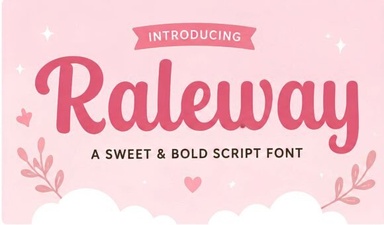 Raleway Font: a Clean Modern Typeface for Creative Projects
 Nuances Affection Font – Elegant Script Font for Romantic Designs
 Snapshot Font – Stylish Script Font for Creative Designs
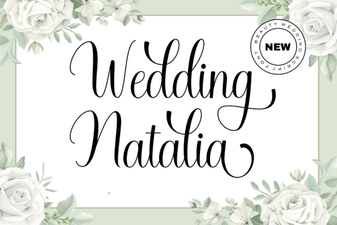 Wedding Natalia Font: Elegant Script for Creative Designs
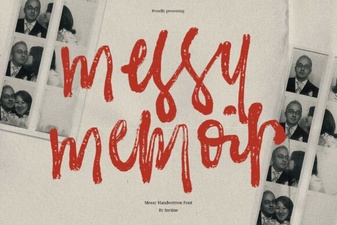 Messy Memoir Font for Authentic Handwritten Designs
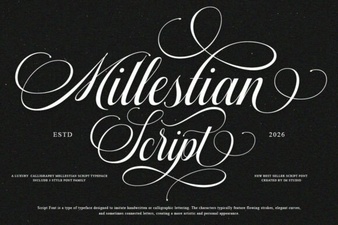 Mallestian Script Font for Beautiful Handwritten Projects