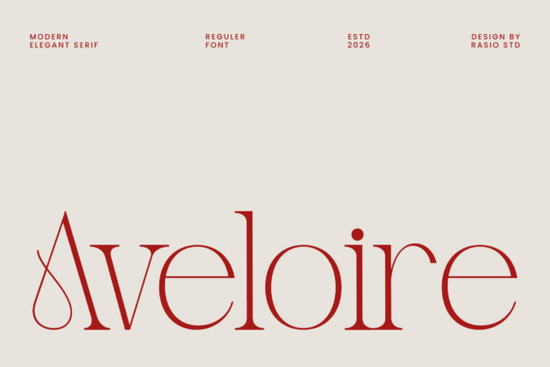
Choosing the right serif font can shape the entire feel of a design. If you're looking for something that balances classic elegance with a modern edge, the Aveloire font is worth a close look. It's a modern elegant serif typeface with refined proportions, graceful stroke contrast, and letterforms that blend traditional serif structure with smooth, stylish curves. Whether you're working on editorial layouts, branding projects, or print-on-demand products, this font brings a polished and sophisticated feel without looking stiff or outdated.
What Does the Aveloire Font Look Like?
Aveloire features clean, well-proportioned letterforms with noticeable stroke contrast meaning the thick and thin parts of each letter create a natural rhythm that's easy on the eyes. The terminals (the ends of the strokes) have a delicate, slightly curved finish that softens the overall appearance.
It doesn't feel overly traditional or overly trendy. Instead, it sits in a sweet spot that works for luxury branding, fashion editorial layouts, and high-end marketing materials. If you've been searching for a serif font that looks expensive and refined but still feels approachable, this one checks those boxes.
Where Can You Use Aveloire?
This font is versatile enough for a range of creative projects. Here are some of the most common uses:
- Magazine headlines and editorial spreads its letter spacing and weight contrast hold up well at larger sizes
- Luxury brand logos and packaging the refined strokes give an upscale, polished impression
- Fashion lookbooks and publications pairs well with minimalist layouts and high-contrast imagery
- Wedding invitations and event stationery the elegant curves add a romantic, premium touch
- Social media graphics and premium marketing visuals stands out in feed-style designs without being loud
- Print-on-demand products works beautifully on tote bags, mugs, journals, and apparel designs targeting a refined audience
If you create digital products or sell on platforms like Etsy or Redbubble, having a reliable elegant serif font in your toolkit can save you hours of searching when a project calls for that upscale aesthetic.
How Does Aveloire Compare to Other Serif Fonts?
There are plenty of serif fonts available, so it helps to understand where Aveloire fits among them. Compared to more traditional options like Stanza, which leans into a classic editorial feel, Aveloire brings a slightly more contemporary personality with its curved terminals and balanced proportions.
If you're drawn to bold, expressive serifs, fonts like Zacorsea or Biges offer a different kind of energy often with heavier weights or more dramatic contrast. Aveloire, by contrast, is more restrained and refined. It's designed for projects where sophistication matters more than impact.
For designers who want variety, the aesthetic elegant font bundle includes several serif options that complement Aveloire well, giving you more flexibility across different projects without starting from scratch each time.
You can also browse more serif options through Stanza, Zacorsea, or Biges on Creative Fabrica to find the one that fits your project best.
Is Aveloire a Good Fit for Small Businesses?
Absolutely. Small business owners who want their branding to look professional and cohesive often struggle with font choices. Aveloire solves that problem by being elegant enough for premium branding but clean enough for everyday use across menus, business cards, social media posts, and website headers.
If your brand identity leans toward minimal, modern, and upscale think boutique shops, skincare brands, interior designers, or lifestyle blogs this serif font aligns well with that visual direction.
Things to Check Before You Download
- License type make sure the license covers your intended use (commercial projects, POD, client work, etc.)
- Character set confirm that the font includes the glyphs, numbers, and special characters you need
- Pairing options test it alongside your existing fonts to see if the combination works
- File format verify the font files are compatible with your software (OTF, TTF, web font formats)
- Test at different sizes check how the font looks in both headline and body text contexts before committing
Next step: If Aveloire fits your project, download it and test it on a real design before using it across your full brand system. Start with one headline or logo concept, check how it feels at different sizes, and go from there. A good font should work with your layout not fight against it.
Explore Design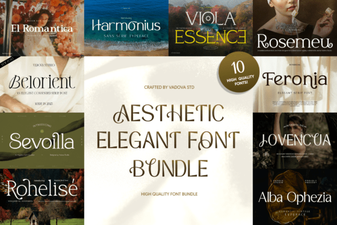 Elegant Aesthetic Font Bundle for Stunning Design Projects
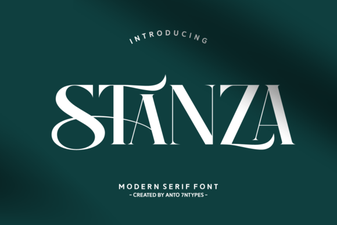 Stanza Font: a Modern Typeface for Elegant Design Projects
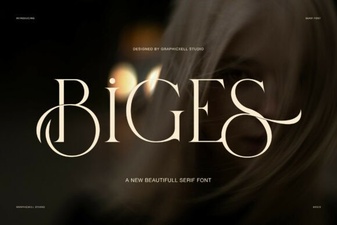 Biges Font - Elegant Serif Typeface for Classic Designs
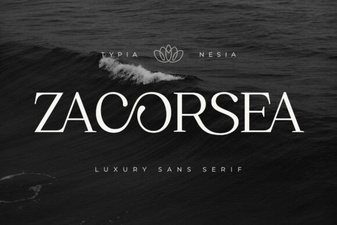 Zacorsea Font: a Creative Typeface for Bold Designs
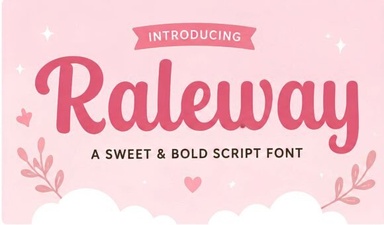 Raleway Font: a Clean Modern Typeface for Creative Projects
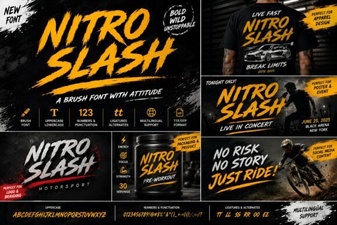 Nitro Slash Font: Bold Creativity for Modern Projects