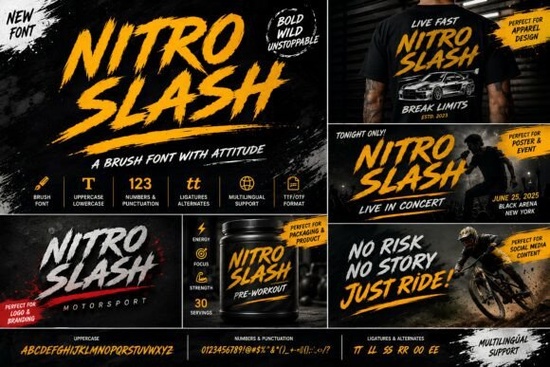
Nitro Slash Font is a handcrafted brush typeface built for projects that need raw energy and an aggressive street-style look. If you've been searching for a bold display font with rough, expressive strokes the kind you'd see on racing posters, graffiti walls, or action-packed YouTube thumbnails this one delivers exactly that. It's designed for speed, attitude, and visual impact without feeling overly polished or corporate.
What Kind of Style Does Nitro Slash Give You?
This font leans heavily into urban, high-energy aesthetics. Think sharp edges, uneven brush texture, and letterforms that look like they were painted fast and with force. It's not trying to be elegant or refined and that's the whole point. Nitro Slash works best when you want your text to feel loud, fearless, and a little chaotic.
The rough brush texture gives it an authentic, hand-drawn quality that digital-clean fonts simply can't replicate. Every letter looks like it was made with real paint or ink, which adds personality to your designs.
Where Does This Font Work Best?
Nitro Slash fits naturally into projects connected to street culture, extreme sports, gaming, and action themes. Here are some practical uses:
- Logos and branding for streetwear labels, skate shops, or energy drink brands
- YouTube thumbnails that need to stand out in a crowded feed
- Event posters for races, concerts, or outdoor festivals
- T-shirt designs and print-on-demand products with an edgy vibe
- Social media graphics for fitness pages, gaming channels, or music artists
- Packaging design for products targeting a younger, urban audience
- Gaming overlays, stream banners, and esports branding
Basically, if your project calls for something fast-looking and bold, this font handles the job well.
How Does Nitro Slash Compare to Other Display Fonts?
It really depends on the mood you're going for. If your project needs something clean and minimal, a cute and simple display font might be a better fit. But when you want attitude and movement in your lettering, Nitro Slash stands out.
For sports-themed work, you might also look at options with a retro jersey lettering style or a varsity-inspired font. These work well for team branding and athletic designs. There's also the bold look of Chicago Bulls-style display fonts if you're going for that classic sports energy.
What makes Nitro Slash different from those options is its brush texture and raw, painted feel. Sports fonts tend to be clean and structured. This one is intentionally rough and expressive, which gives it a completely different personality. If you're working on streetwear graphics, music artwork, or action-themed content, Nitro Slash will match that energy much better than a polished athletic typeface.
Can Beginners Use This Font Easily?
Yes. Once you download it, you can install it on your computer and use it in any standard design software Photoshop, Illustrator, Canva, Cricut Design Space, and others. Just type your text, apply the font, and adjust the size and color to fit your layout.
A few things to keep in mind:
- Use it for headlines and short text. Brush fonts like this don't read well in long paragraphs.
- Pair it with a clean sans-serif for body text to keep your layout balanced.
- Play with color. It looks great in high-contrast combinations white on black, red on dark backgrounds, neon tones on grungy textures.
- Add texture overlays to your design background to complement the rough brush style.
Who Is Nitro Slash Really For?
This font is a solid choice for:
- Print-on-demand sellers creating bold t-shirt and hoodie designs
- YouTubers and content creators who need attention-grabbing thumbnails
- Graphic designers working on music, gaming, or action-themed projects
- Small business owners in streetwear, fitness, or outdoor adventure niches
- Crafters making posters, decals, or stickers with an urban aesthetic
It's especially useful if you build a lot of designs around racing, graffiti, extreme sports, or rebellious branding. Having a font like this in your toolkit saves time when clients or projects call for that specific look.
Quick Checklist Before You Download
- Make sure the font style matches your project's mood bold, rough, and urban
- Check that your design software supports custom font installation
- Plan a pairing font (a simple sans-serif works best alongside brush lettering)
- Test the font at different sizes to see where it reads best
- Review the license terms to confirm it covers your intended use especially for commercial projects and print-on-demand
Tip: Try setting your headline text slightly larger than you think you need. Brush fonts like Nitro Slash lose their impact when they're too small. Give the letterforms room to breathe and let that aggressive brush texture do its work.
Learn More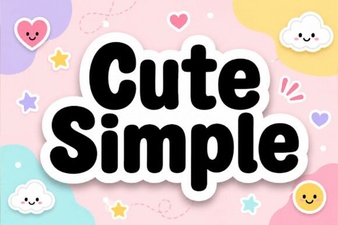 Cute Simple Fonts for Clean and Creative Designs
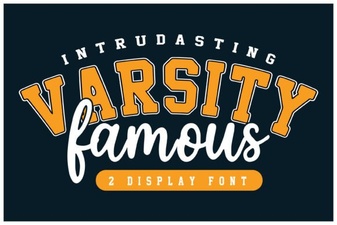 Varsity Famous Font for Classic Collegiate Design Projects
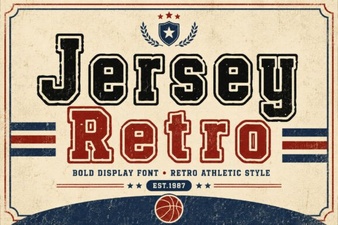 Jersey Retro Font: Vintage Style for Bold Creative Projects
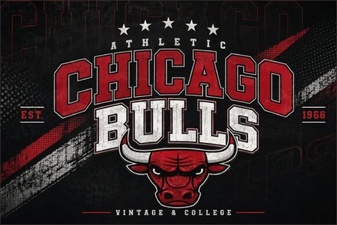 Chicago Bulls Font: Bold Typography for Sports Design Projects
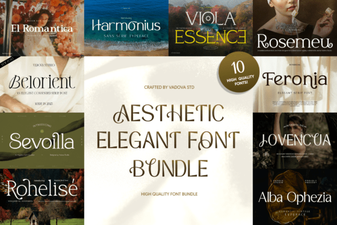 Elegant Aesthetic Font Bundle for Stunning Design Projects
 Raleway Font: a Clean Modern Typeface for Creative Projects