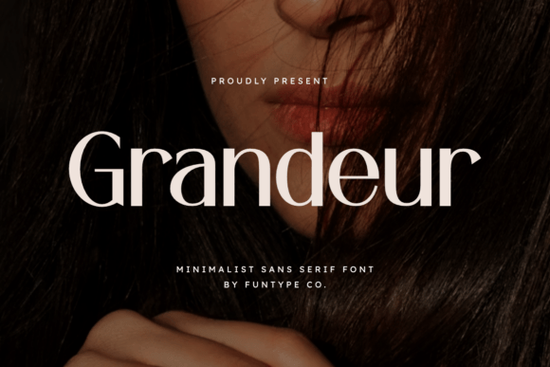
If you need a font that looks bold, clean, and professional without feeling heavy or cluttered, the Grandeur Font is worth a close look. It's a minimalist sans serif built for high-impact typography think strong headlines, luxury branding, and sleek digital posters. The solid structure and balanced letterforms give your work a confident, polished feel. You get it in both OTF and TTF formats, so it works across pretty much every design tool you already use.
What makes Grandeur Font different from other bold sans serifs?
There's no shortage of bold sans serif fonts out there. So what sets this one apart? It comes down to precision and restraint. Grandeur doesn't try to be loud it's strong and commanding, but the minimalist design keeps everything elegant. The letterforms have clean lines with just enough weight to grab attention without overwhelming your layout.
This balance is especially useful if you're working on projects where you want the text to feel authoritative but refined. If you've ever used a Helvetica-style sans serif and wished it had a bit more punch, Grandeur fills that gap nicely.
What types of projects work best with this font?
Grandeur was designed with specific use cases in mind, and it really shines in these areas:
- Luxury brand logos the refined structure communicates quality and sophistication
- Fashion editorial layouts clean lines pair well with photography and minimalist compositions
- Digital posters and banners bold enough to read at a glance, even from a distance
- Website hero sections makes a strong first impression above the fold
- Business cards and stationery professional without feeling generic
- Print-on-demand products looks sharp on apparel, mugs, and packaging
For POD sellers especially, a versatile bold font like this is a solid addition to your toolkit. It pairs well with script fonts or serif typefaces if you want to create contrast in your designs.
How does Grandeur compare to other sans serif fonts?
It depends on the vibe you're going for. If you want something softer and more approachable, a rounded sans bundle might be a better fit. For a classic, neutral look, check out options like Balimo Font or Pretzel Font, which offer clean geometric styles with their own personality. And if you're after something with a slightly quirky, modern edge, Bisked is a fun alternative.
Grandeur sits in that sweet spot between minimal and impactful. It doesn't have the rounded warmth of softer fonts, but it also avoids feeling cold or sterile. That's what makes it work well for brands that want to project confidence and elegance at the same time.
What file formats are included and are they compatible with my software?
The font comes in OTF (OpenType) and TTF (TrueType) formats. Here's what that means in practice:
- OTF files work with Adobe Creative Suite (Photoshop, Illustrator, InDesign), Affinity Designer, Procreate, and most modern design software
- TTF files are compatible with virtually everything, including Windows, macOS, Cricut Design Space, Silhouette Studio, and older applications
You won't need to worry about format issues. Install whichever version works with your setup, and you're good to go.
Who should consider using Grandeur Font?
This font is a good match for a range of creatives:
- Freelance designers working on branding projects for clients in fashion, beauty, or lifestyle industries
- Small business owners creating their own logos, menus, or signage
- Print-on-demand sellers who need bold, readable text for product designs
- Content creators making thumbnails, social media graphics, or YouTube channel art
- Crafters and hobbyists using Cricut or Silhouette for personalized projects
It's especially useful when you need text to stand on its own without relying on extra effects or decorations. A single word set in Grandeur at a large size can carry an entire design.
Quick tip for pairing Grandeur with other fonts
Try combining it with a light, elegant serif or a flowing script for contrast. For example, the bold weight of Grandeur works beautifully alongside something like Grandeur Font used at a smaller size for body copy, or paired with a decorative accent font. Keep the number of fonts in your design to two or three max for a clean, cohesive result.
Before you download a quick checklist
- ✅ Confirm the license covers your intended use (personal, commercial, POD, etc.)
- ✅ Download both OTF and TTF so you have flexibility across platforms
- ✅ Install the font, restart your design software, and test it at different sizes
- ✅ Experiment with letter-spacing slightly increased tracking can enhance the minimalist feel
- ✅ Try pairing it with a contrasting font style before finalizing your layout
Start by testing Grandeur in your next headline or logo concept. You'll know pretty quickly if its bold, minimal style fits your creative direction.
Explore Design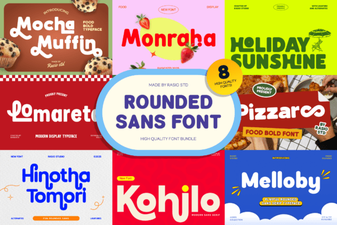 Rounded Sans Bundle: Versatile Fonts for Designers
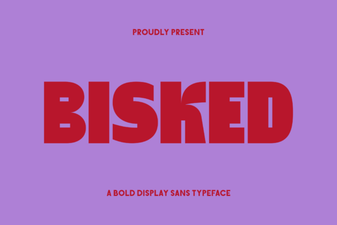 Bisked Font Free Download - Modern Sans Serif Typeface
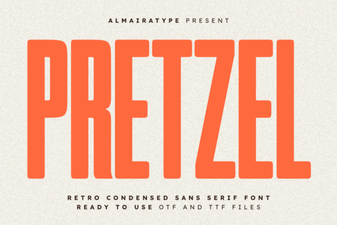 Discover the Fun and Whimsical Pretzel Font for Creative Designs
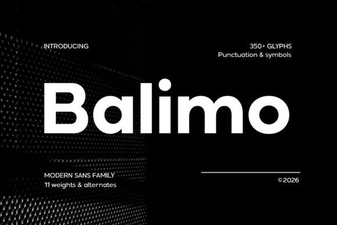 Balimo Font – Modern Sans Serif Typeface for Clean Design
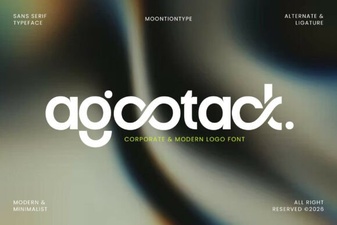 Agootack Font: a Bold and Creative Typeface for Modern Projects
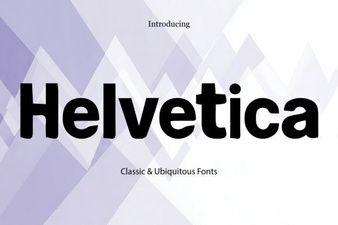 Why Helvetica Font Remains a Design Classic