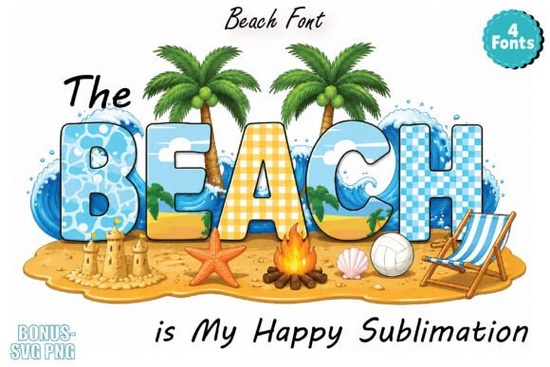
If you're working on summer-themed designs and need a typeface that actually feels like a day at the shore, The Beach Font is worth a close look. It's a colorful alphabet pack designed around tropical, vacation-inspired aesthetics think ocean blues, warm sunset tones, and that laid-back energy you get from a perfect beach day. Whether you sell print-on-demand products or just love creating fun graphics for personal projects, this font brings a specific mood that's hard to replicate with standard typefaces.
What Makes a Colorful Beach Font Different From Regular Fonts?
Most fonts you download are single-color you apply them in black, white, or whatever color you choose. A colorful font like this one comes pre-designed with multiple colors built into the letterforms. The gradient tones and tropical palette are part of the font itself, which means you don't have to spend extra time layering effects or editing each letter individually.
The key thing to know: the font preview might appear black and white depending on where you're viewing it. That's a system limitation. Once you open it in supported software Adobe Illustrator, Photoshop, Canva, or Figma the full color design shows up properly. This is a common situation with colorful display fonts, so don't let the preview throw you off.
What Can You Actually Use This Font For?
This is where it gets practical. The Beach Font works well across a surprisingly wide range of projects. Here's where designers and crafters tend to get the most use out of it:
- T-shirt and merch designs Summer collections, vacation shops, and resort-style apparel lines benefit from a typeface that already looks styled and ready to print.
- Sublimation projects If you do sublimation printing on mugs, tumblers, or tote bags, a colorful font cuts down your design time significantly.
- Social media graphics Instagram posts, story templates, and Pinterest pins for travel bloggers or lifestyle brands get an instant summer feel.
- Stickers and planners Digital sticker makers and planner designers can use it for headers, section titles, and decorative accents.
- Printable designs Wall art, invitations, party decorations, and greeting cards for summer events all work well with this style.
- Vacation and travel themes Scrapbooks, photo albums, and travel journal layouts look more cohesive with a purpose-built typeface.
Does It Work for Print-on-Demand Sellers?
Absolutely and this is probably one of the strongest use cases. If you run a shop on platforms like Merch by Amazon, Redbubble, or Etsy, seasonal designs are a big part of what drives sales during summer months. Having a font that's already styled with the right colors and vibe means you can produce designs faster without relying on complex editing workflows.
Just make sure to check the licensing terms on Creative Fabrica before using it commercially. Their subscription and individual product licenses cover most commercial use cases, but it's always smart to confirm what applies to your specific situation.
How Do You Get the Best Results With Colorful Fonts?
A few practical tips that make a real difference:
- Use the right software. Stick with Adobe Illustrator, Photoshop, Canva, or Figma to see the full color effect. Basic text editors won't display it correctly.
- Pair it with simple fonts. Since this is a decorative display font, use it for headlines and titles only. Pair it with a clean sans-serif or simple serif font for body text.
- Test on your actual product. Before listing a design, mock it up on the product you're selling. Colors can look different on screen versus printed fabric or sublimation blanks.
- Consider your background color. Colorful fonts show up best on solid, lighter backgrounds. Busy or dark backgrounds can make the letters hard to read.
What File Formats and Software Does It Support?
The font works in standard design applications that support color fonts. This includes the Adobe suite, Canva (desktop and web), and Figma. If you primarily use free tools, Canva is the easiest option since it's web-based and handles color fonts without extra setup. For more advanced editing and precise control over kerning, spacing, and layers, Illustrator or Photoshop give you more flexibility.
Quick Checklist Before You Start Designing
- ✅ Open the font in Adobe Illustrator, Photoshop, Canva, or Figma to see full colors
- ✅ Verify the license covers your intended use (personal or commercial)
- ✅ Pair with a simple secondary font for readable body text
- ✅ Mock up your design on the final product before publishing
- ✅ Use a clean background so the colorful letterforms stand out
- ✅ Export at the right resolution for your print method (300 DPI for most physical products)
If you're building out a full summer collection, take a few minutes to browse other colorful beach-style fonts on Creative Fabrica as well. Having two or three complementary typefaces gives your shop more variety without straying from a consistent seasonal theme.
Explore Design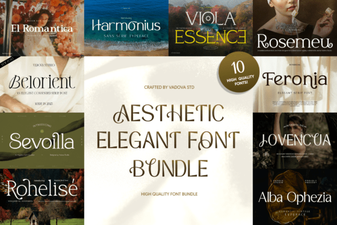 Elegant Aesthetic Font Bundle for Stunning Design Projects
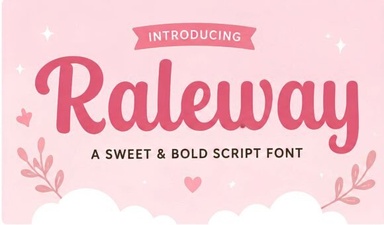 Raleway Font: a Clean Modern Typeface for Creative Projects
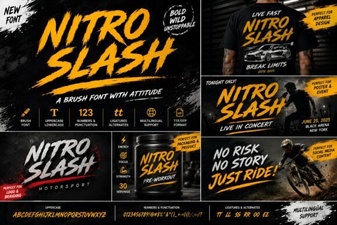 Nitro Slash Font: Bold Creativity for Modern Projects
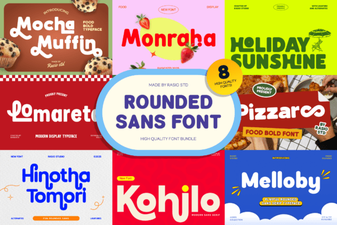 Rounded Sans Bundle: Versatile Fonts for Designers
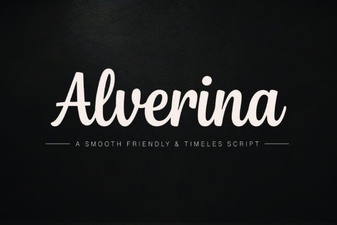 Alverina Font: Elegant Typeface for Creative Design Projects
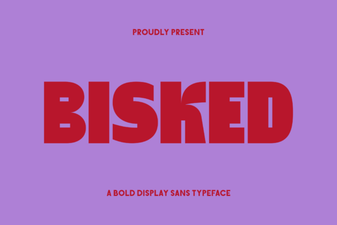 Bisked Font Free Download - Modern Sans Serif Typeface